Your files, in context.
Attach a PDF, notes or code. Their text accompanies your message and stays saved with the conversation.
EXL3 inference on Apple Silicon
MLXL3 is an EXL3 inference engine for macOS, with a native Mac app and CLI. Your models run locally on Apple Silicon.
Apple Silicon M1–M5
macOS 26.2 or later
Open source MIT license
Choose a model. Add your documents. Keep your conversations.
A native Mac app, from the first message to the last token.
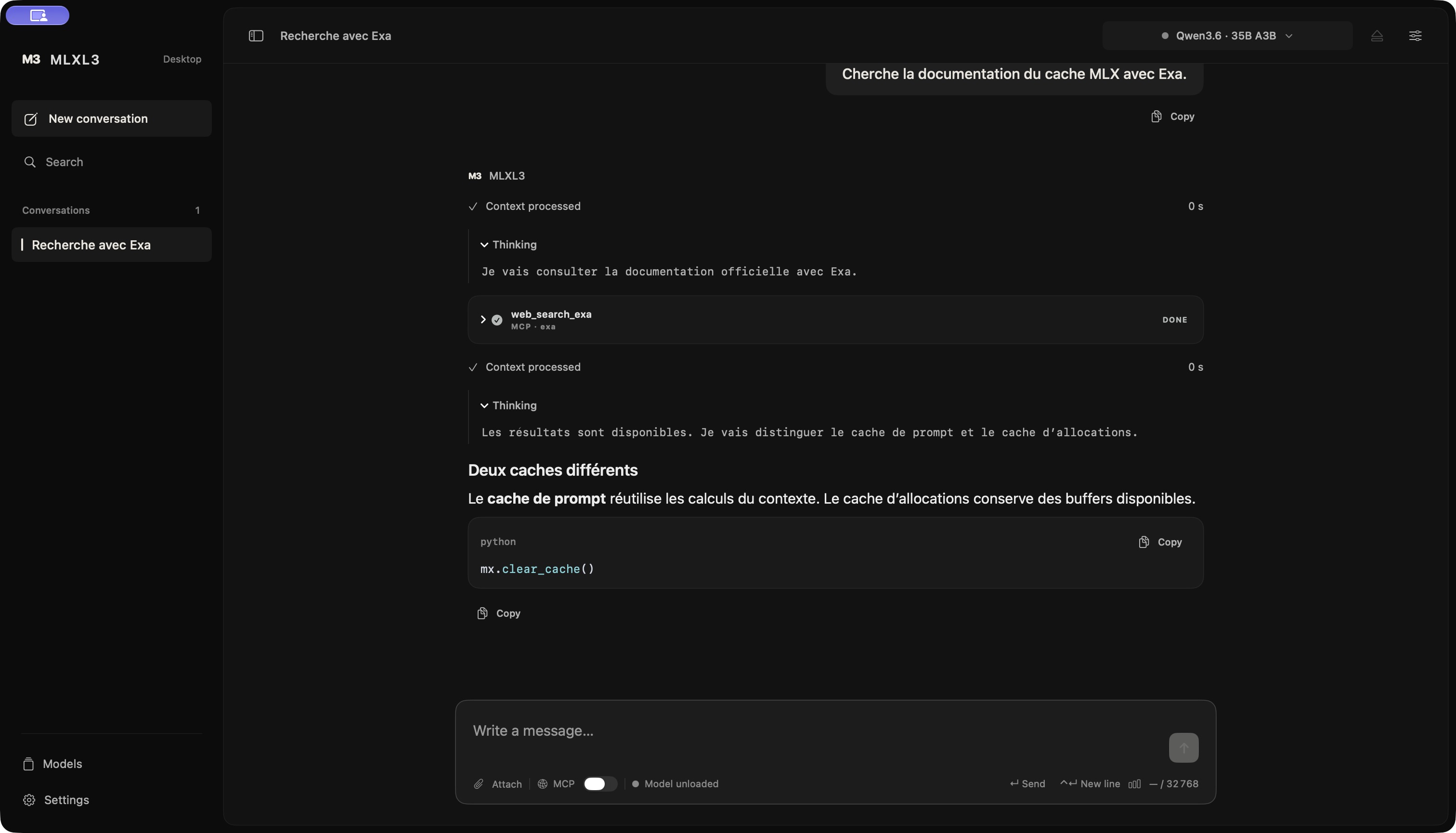
Attach a PDF, notes or code. Their text accompanies your message and stays saved with the conversation.
Markdown, tables, LaTeX and highlighted code appear as the response streams. Copy code blocks in one click.
Enable MCP to connect the tools you choose. Reasoning, tool calls and the response each have their own place.
Your conversations are saved locally. Stop a generation, keep the partial response and return to your conversations.
The MLXL3 engine
The MLXL3 EXL3 inference engine reads quantized weights directly. Rust orchestrates inference; MLX and custom Metal kernels run computations on Apple Silicon GPUs.
Inference does not rebuild a full dense copy of every weight. The engine works with the EXL3 representation.
On supported Qwen models, MTP proposes tokens. The target model verifies them before delivery, using greedy decoding.
Read the MTP validationImport an EXL3 checkpoint or search Hugging Face from the app. MLXL3 checks its structure before loading it.
Dense and MoE models with hybrid Gated DeltaNet attention. Text chat and MTP on supported checkpoints.
qwen3_5 · qwen3_5_moe
Recurrent-state models. The engine supports dense EXL3 weights and routed experts for text chat.
lfm2 · lfm2_moe
Text chat and native tool-call parsing. Image and audio inputs are not supported.
gemma4
Text chat, hybrid architecture and MCP tool calls in Ling’s native format.
bailing_hybrid
The EXL3 format alone does not guarantee compatibility. Architecture, tensor shapes and engine requirements must also match.
Inspect checkpoints, manage downloads and chat in streaming mode
with the native mlxl3 client.
# Replace the path with your EXL3 folder
mlxl3 register my-model /path/to/model

# Start a conversation
mlxl3 run my-model
The CLI client must be installed or built from source.
The app includes the Rust engine, MLX runtime and Metal assets. No Python or Homebrew installation is required.
Open the DMG, then drag MLXL3 Desktop into Applications.
Download an EXL3 variant from Hugging Face in the app, or import an existing folder.
Load the model and send your first message. Model weights are not included in the app download.
The current distribution is signed ad hoc. If macOS blocks the first launch, allow the app in System Settings → Privacy & Security.
On an Apple Silicon Mac, install MLXL3 Desktop, download or import a supported EXL3 checkpoint, then load the model. The desktop app includes its native engine; no Python, Homebrew or CUDA installation is required. Follow the installation steps.
Supported architectures include Qwen 3.5, 3.6 and 3.8 (dense and MoE), Liquid AI LFM2 and LFM2 MoE, Gemma 4, and Ling 3 / Bailing V3. The loader checks tensor shapes and engine constraints before loading. An EXL3 file alone does not guarantee compatibility. See model support for the current scope.
MLXL3 is an independent Apple Silicon runtime. ExLlamaV3 provides the EXL3 format and numerical reference. MLXL3 executes inference through Rust, MLX and custom Metal kernels on Apple GPUs. The third-party notices document the code’s provenance and licenses.
An Apple Silicon Mac (M1–M5) running macOS 26.2 or later. Memory requirements depend on the model, quantization and context. The project’s performance measurements are run on M5.
Inference runs locally and conversations are saved on your Mac. Downloads and updates use the network. Enabled MCP tools may send requests to the services you configure.
Text-based PDFs, TXT, Markdown, CSV, JSON and code files. MLXL3 extracts their text; it does not analyze images. Scanned or protected PDFs need preparation first. The model’s context window remains the limit.
MLXL3’s code is available under the MIT license. Models and third-party components retain their own licenses.
Desktop 1.4.0 · Apple Silicon
macOS 26.2 or later